
Spotify Basic Plan vs Premium Full Comparison 2026, Which One to Choose?
Spotify Basic Plan vs Premium is a common search because users want to know if the paid plan is really worth it. Both plans give access to the same music library, but the listening experience is very different. In this guide, you will see features, limits, benefits, and real use cases in simple words.
Many new users and casual listeners often start with Basic to explore Spotify. Daily listeners or those who want full control, offline downloads, and ad-free music usually upgrade to Premium. This comparison will help you understand exactly what each plan offers, including pricing, features, and which plan fits your music habits. By the end, you will know which plan is right for you and how to get or activate it quickly.
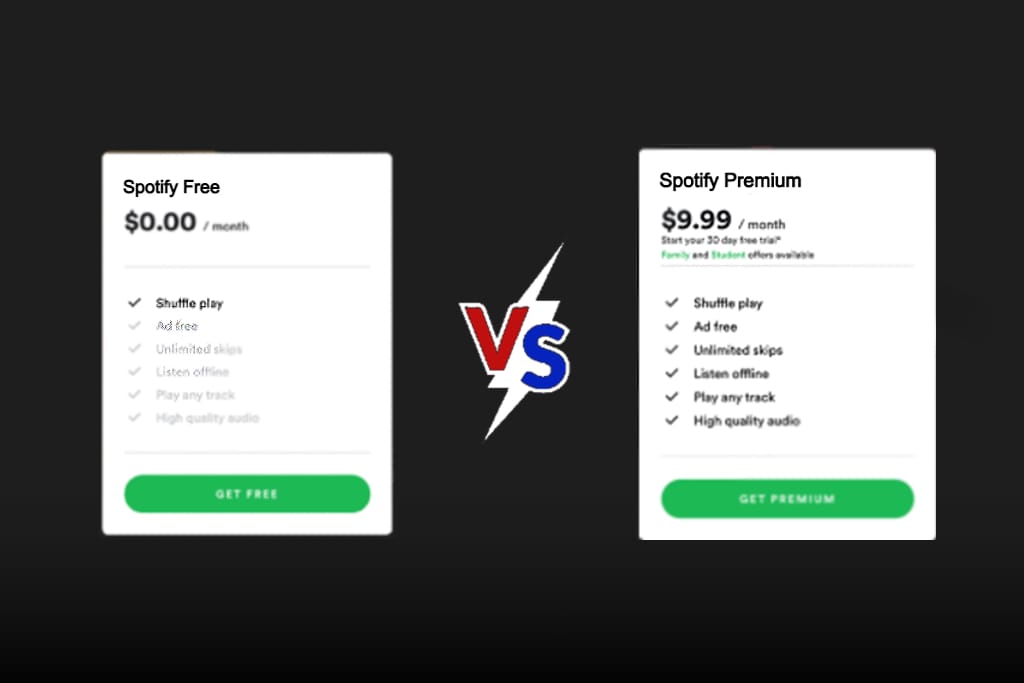
Spotify Basic Plan vs Premium Plan
| Feature | Spotify Basic Plan | Spotify Premium Plan |
|---|---|---|
| Cost | Free | Monthly payment |
| Ads between songs | Yes | No |
| Song selection on mobile | Limited | Full control |
| Shuffle control | Mostly forced | Optional |
| Skip songs | Limited per hour | Unlimited |
| Offline listening | Not available | Available |
| Download songs | No | Yes |
| Audio quality | Standard | High quality option |
| Repeat track | Limited | Full repeat |
| Playlist order play | Not always | Yes |
| Works without internet | No | Yes after download |
| Family and Duo plans | Not included | Included |
| Best for | Light users | Regular listeners |
What’s Spotify Basic Plan and Premium Plan
Spotify Basic Plan
Spotify Basic is the free version of Spotify. It lets people stream music with ads and some playback limits. It is useful for people who listen sometimes and do not want to pay. Users can create playlists, follow artists, and enjoy almost the full music library. However, some features like offline listening, unlimited skips, and high quality audio are restricted. Basic is ideal for casual or new listeners who want to explore Spotify before subscribing.
Spotify Premium Plan
Spotify Premium is the paid version. It removes ads and unlocks full control. Users can download songs, skip without limits, and listen offline. Most daily listeners choose Premium for comfort. Premium also includes higher sound quality, full playlist control, and access to Spotify’s latest features. Family, Duo, and Student plans make Premium flexible for multiple users. More detailed plan guides are available on Spotify Blog.
Features of Spotify Basic Plan vs Spotify Premium
Understanding features helps users match the plan with their listening habits in Spotify basic plan vs premium plan.
Additional Features of Spotify Premium
Premium includes extra comfort features that improve daily use and make music listening smoother and more flexible. It give users full freedom, better quality, and enhanced convenience when listening to music or podcasts. There are additional feature in spotify basic plan vs premium.
No Ads During Music and Podcasts
Premium removes all audio ads, allowing uninterrupted playback. This makes long listening sessions smooth and enjoyable.
Offline Downloads
Users can download albums, playlists, and podcasts for offline listening. This is ideal for travel, commuting, or low-data situations.
Unlimited Skips
Premium users can skip as many songs as they like, giving full control over playback and avoiding unwanted tracks.
Direct Song Selection
Unlike Basic, Premium allows selecting any song at any time, including repeats and queued tracks.
Higher Sound Quality
Premium unlocks high quality audio settings for clearer, richer sound, noticeable on headphones and speakers.
Full Playlist Control
Users can create, edit, and download playlists, with complete ordering and playback control across all devices.
What’s New in The Spotify Latest Version
Spotify keeps improving the app with updates that make music discovery smarter and performance smoother. Recent updates include several helpful changes:
- Enhanced Device Syncing: Music playback now connects more reliably across phones, tablets, and desktops.
- Smarter Daily Mixes: Spotify now suggests playlists based on your listening habits, helping you find songs you’ll love faster.
- Faster Search Results: Searching for songs, albums, or artists is quicker and more accurate.
- Improved Playlist Suggestions: Recommended playlists are more personalized for your taste.
- Better App Stability: Crashes and freezing issues have been reduced for smoother use.
Spotify Basic Plan vs Premium Plan choosing
Choosing the right Spotify basic plan vs premium depends mainly on how you listen to music:
Premium Plan: Ideal for daily listeners who want downloads, no ads, and full playback control. It gives better sound quality and more flexibility across devices.
Basic Plan: Best for casual users who play music occasionally and don’t mind ads. It is free and works well if you don’t need offline listening.
Spotify Basic Plan vs Premium Specifications
Spotify Basic plan vs Premium this table explains how both plans behave in daily use, showing key technical and feature differences.
| Specification | Spotify Basic Plan | Spotify Premium Plan |
|---|---|---|
| Streaming Type | Online only | Online and offline |
| Ads | Yes | No |
| Playback Control | Limited, especially on mobile | Full control on all devices |
| Offline Downloads | Not available | Available for playlists and albums |
| Audio Quality | Standard | High quality option |
| Repeat/Shuffle | Limited | Full repeat and shuffle control |
| Family/Duo Account Options | Not available | Available |
| Device Compatibility | Phone, desktop | Phone, desktop, tablet, smart devices |
| Best For | Casual or light users | Daily listeners and advanced users |
How to Get or Activate Spotify Basic Plan vs Premium
Spotify is available for everyone, with Basic being free and Premium offering extra features. Follow these simple steps to start listening:
Getting Spotify Basic (Free Plan):
- Visit the Spotify website or download the app on any device.
- Sign up with your email, phone number, or social account.
- Log in to start using Spotify Basic immediately.
- Basic includes ads, limited skips, and online-only streaming.
Activating Spotify Premium:
- Open Spotify and log in with your account.
- Tap or click “Go Premium.”
- Choose a subscription plan:
- Individual: $9.99/month
- Duo (2 accounts): $12.99/month
- Family (up to 6 accounts): $15.99/month
- Student: $4.99/month (verify eligibility)
- Enter payment details and confirm. Premium features like offline downloads, ad-free listening, unlimited skips, and high-quality audio will be activated immediately.
Pros & Cons Of Spotify Basic Plan and Premium
This table gives a quick decision view of strengths and weaknesses between Spotify basic plan vs premium plan.
| Plan | Pros | Cons |
|---|---|---|
| Spotify Basic Plan | Free access, full library, quick signup | Ads play often, skip limits, no offline mode, limited control |
| Spotify Premium Plan | No ads, offline listening, full control, better sound | Monthly payment needed |
Troubleshooting Most Common Issues
These are most common problem’s faced while installing or during using of Spotify plan vs Premium.
Spotify Basic plan keeps showing too many ads
Many users feel that ads play too often on the Basic plan. This is normal because ads are how the free version is supported. Ads can appear after a few songs and cannot be skipped. If ads feel too frequent, check if your app is updated because older versions sometimes repeat ads more. Restarting the app can also refresh the ad cycle. Users who want ad free listening usually move to Premium, which removes all music ads.
Spotify Premium downloads not working offline
Some Premium users download playlists but songs do not play when internet is off. This usually happens when downloads were not completed fully or the device storage is low. Open the playlist and check if the download icon shows completed status. Also make sure you are logged into the correct Premium account. Turning offline mode off and on inside settings often fixes this problem. Re logging into the account can also refresh download rights.
Spotify app keeps crashing or freezing
If Spotify crashes or freezes, the most common reason is an outdated app version or corrupted cache files. Go to your app store and update Spotify to the newest version. After that, restart your device and open the app again. If the problem continues, clearing the app cache or reinstalling Spotify usually solves it. Device software updates can also improve app stability.
Conclusion
Spotify Basic Plan vs Premium comes down to comfort versus cost. Basic is good for free and light listening with ads and limits. Premium is better for serious listeners who want no ads, offline music, and full playback control. Users who listen every day usually get more value from Premium. To build full knowledge before choosing, readers should explore related Spotify plan and feature articles on Spotify Guides.
Frequently Asked Questions
What is the real difference between Spotify Basic and Premium?
The real difference is control and ads. Basic is free but includes ads, skip limits, and no downloads. Premium removes ads and gives full playback control plus offline listening.
Can I use Spotify Premium without internet?
Yes, Spotify Premium supports offline listening. You must download songs or playlists first while online, then you can play them without internet inside the app.
Is Spotify Basic good enough for daily music use?
It can work for daily use, but ads and skip limits may become annoying. Users who listen many hours each day usually prefer Premium for smoother experience.
Does Spotify Premium improve sound quality?
Yes, Premium includes a higher audio quality setting. This gives clearer sound, especially noticeable with good headphones or speakers.
Can I cancel Spotify Premium anytime?
Yes, Premium plans can be cancelled anytime from account settings. The plan stays active until the paid period ends, then switches back to Basic.